> For the complete documentation index, see [llms.txt](https://www.konwallet.info/llms.txt). Markdown versions of documentation pages are available by appending `.md` to page URLs; this page is available as [Markdown](https://www.konwallet.info/vn/cai-dat-ung-dung/meta.md).

# Cách thêm mạng KONET vào MetaMask

Xin chào, đây là đội ngũ KONWallet.\
Chúng tôi xin hướng dẫn đến những người dùng đang lưu trữ coin nền tảng KONET Mainnet trong KONWallet.

Gần đây, số lượng người dùng thực hiện nạp và rút tài sản kỹ thuật số thông qua ví MetaMask ngày càng tăng. Vì vậy, chúng tôi xin cung cấp hướng dẫn chi tiết về cách thêm mạng KONET vào MetaMask như sau.

{% hint style="success" %}
Hướng dẫn thêm mạng bằng máy tính (PC)
{% endhint %}

## Cài đặt MetaMask

Chúng tôi cung cấp hướng dẫn cài đặt MetaMask mới nhất theo bản cập nhật năm 2025.

{% embed url="<https://metamask.io/ko/>" %}

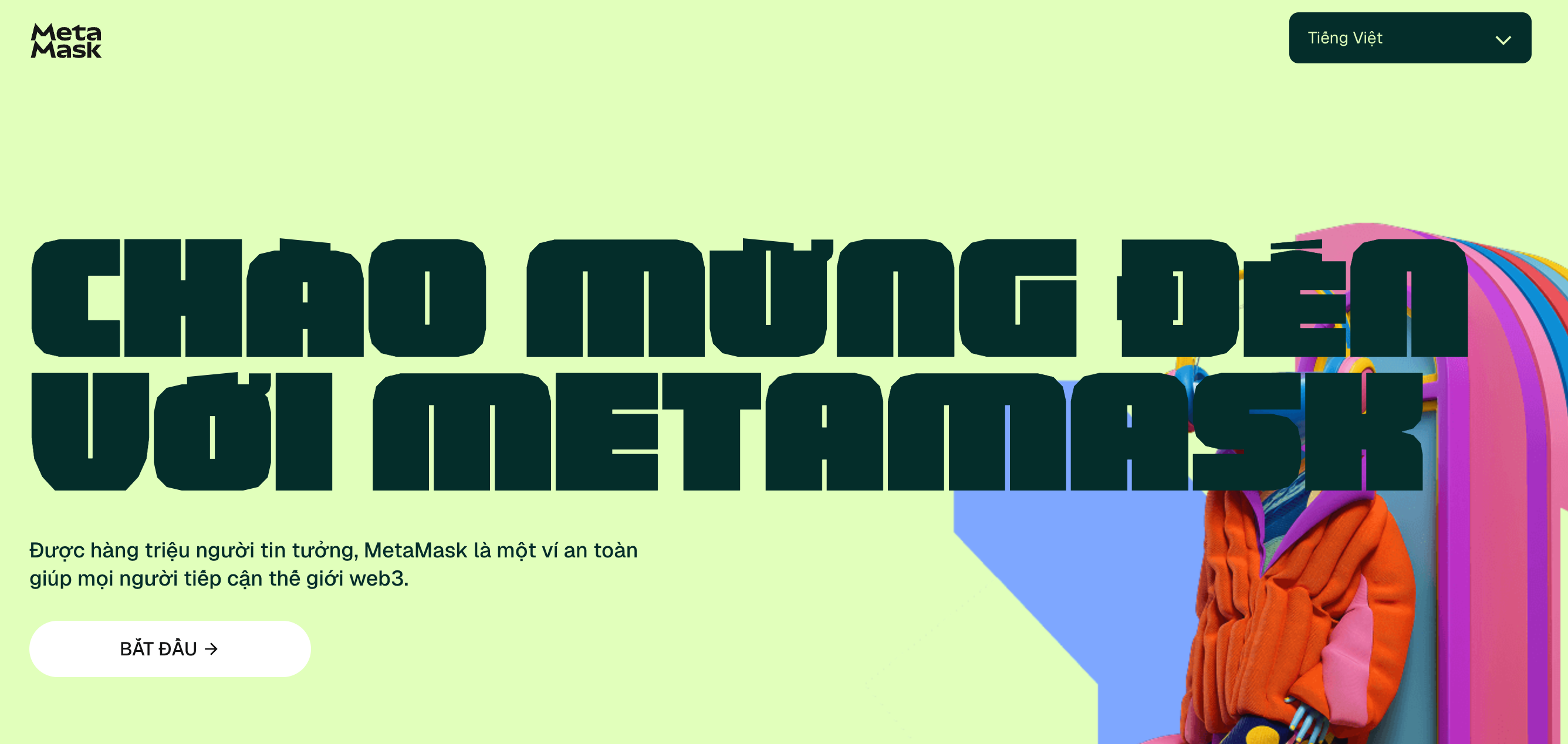
<figure><img src="/files/l0WXYU4TqFNfWJHi7TJI" alt=""><figcaption></figcaption></figure>

Vui lòng truy cập trang web MetaMask và nhấp vào nút cài đặt.

## Cài đặt

Trong hướng dẫn này, chúng tôi sẽ giới thiệu cách tạo ví MetaMask bằng **cụm từ khôi phục (seed phrase)**.

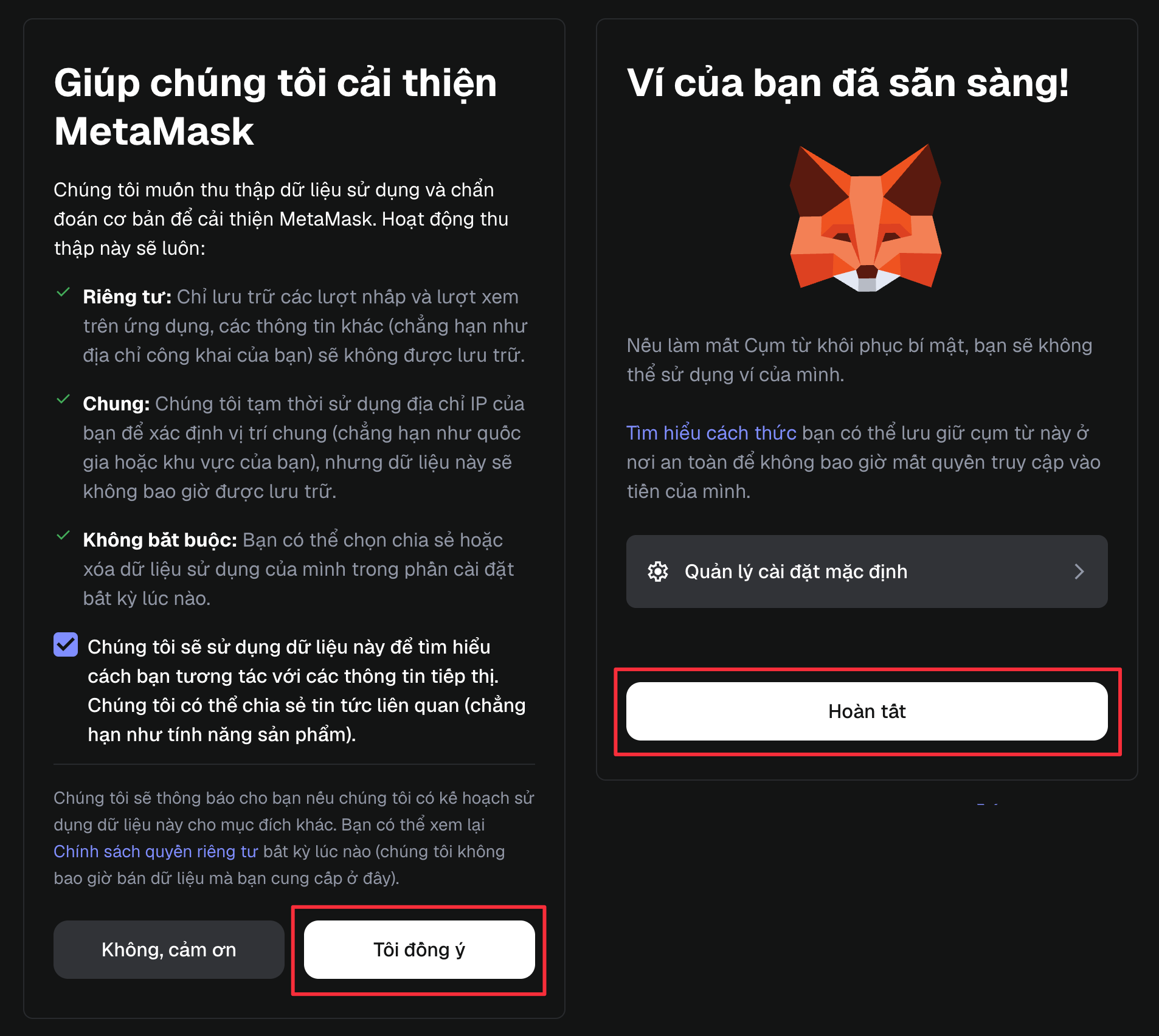
<figure><img src="/files/FukgylbRLPzDU7VWssFK" alt=""><figcaption></figcaption></figure>

Sau khi đồng ý, hãy nhấn **Tạo**.

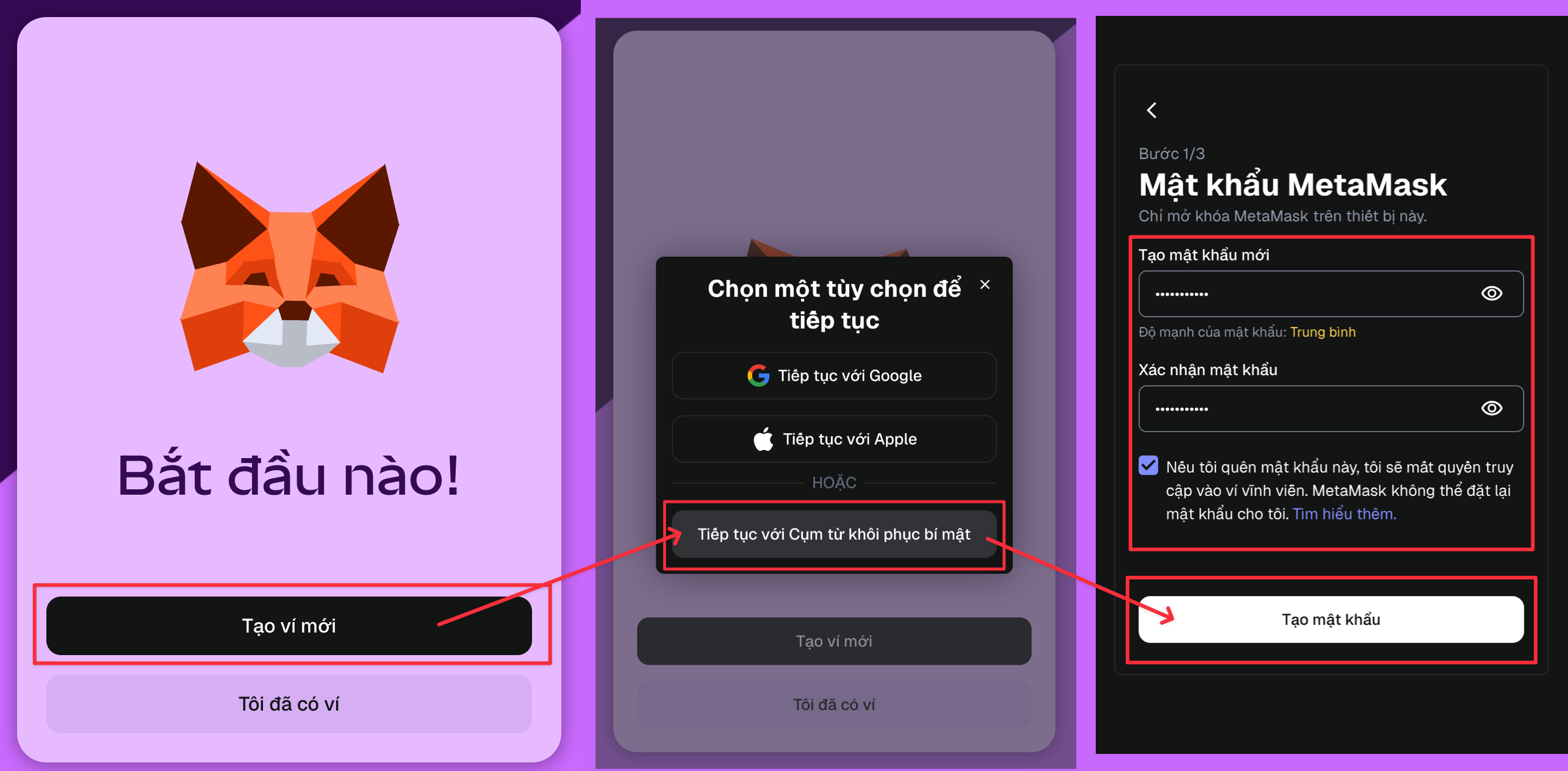
<figure><img src="/files/GJJDtpGJV7uQTc5p1Yn1" alt=""><figcaption></figcaption></figure>

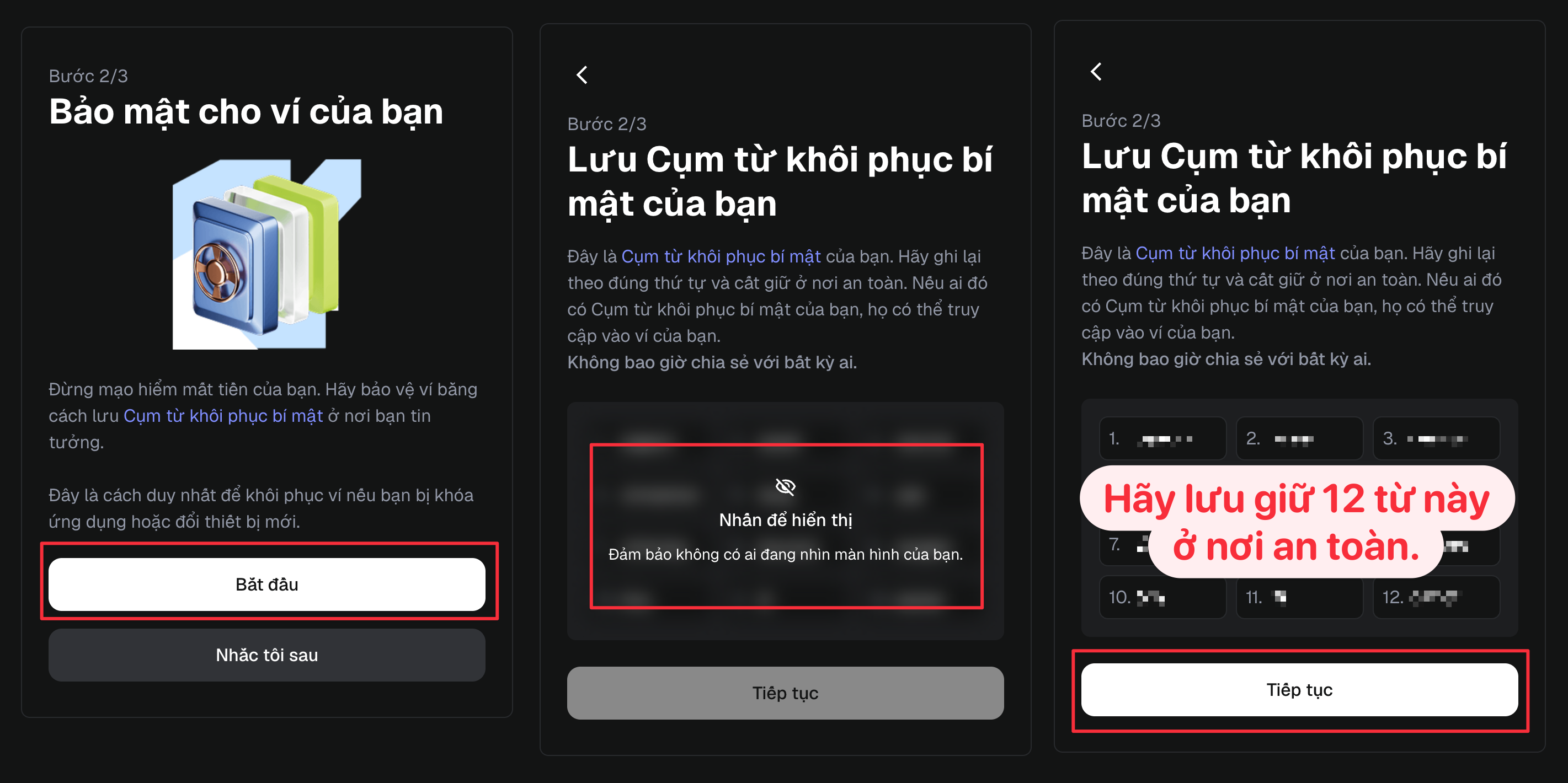
Hãy nhấp vào nút tạo ví bằng **cụm từ khôi phục** theo đúng thứ tự trong hình và nhập mật khẩu của bạn.

<figure><img src="/files/3KwMWSivxTHjpjglktd5" alt=""><figcaption></figcaption></figure>

Vui lòng lưu trữ cụm từ khôi phục ở một nơi an toàn.

<div align="left"><figure><img src="/files/b0F4kq8ZhOcV7ut2uuiK" alt="" width="375"><figcaption></figcaption></figure></div>

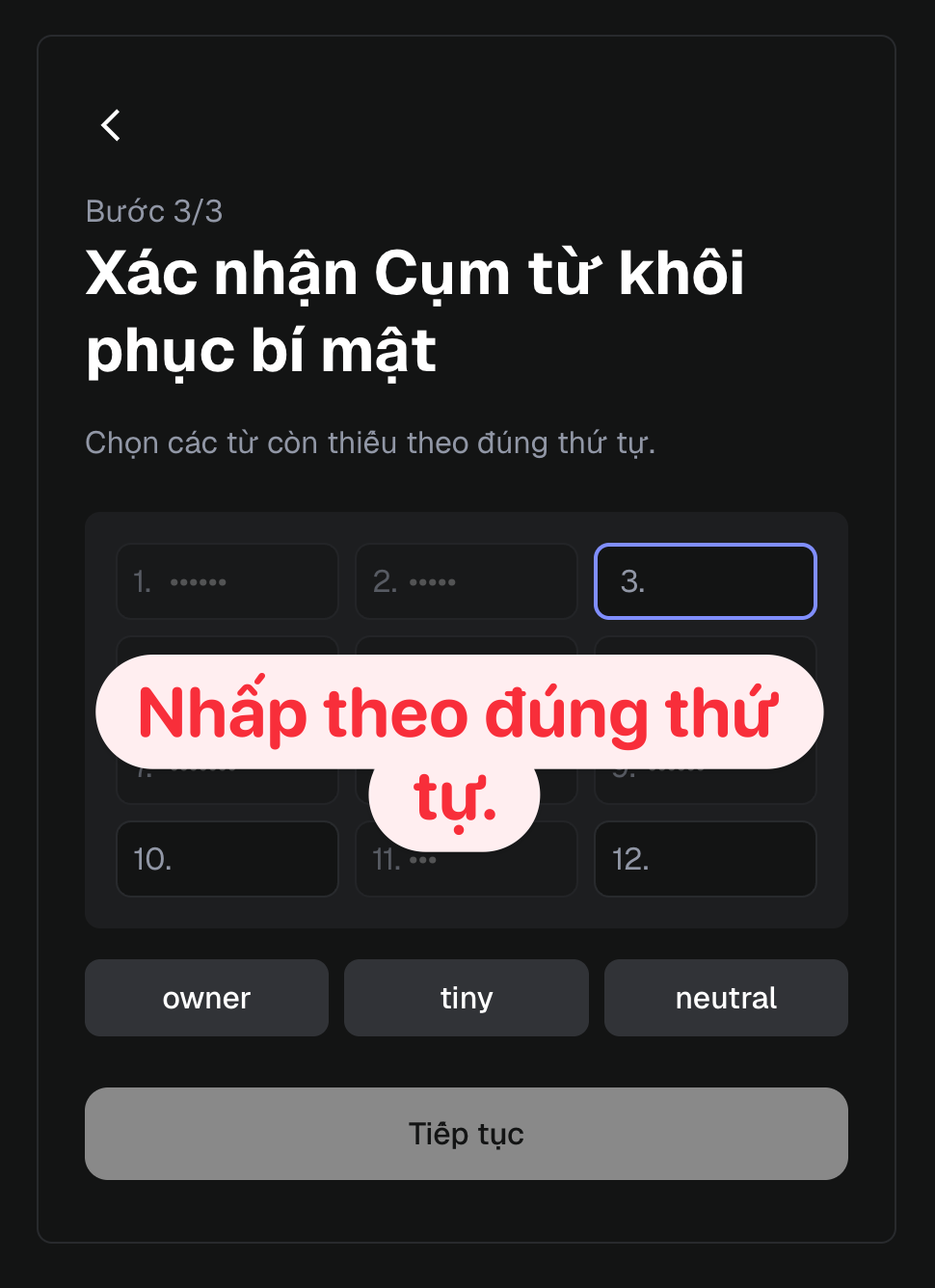
Nhập cụm từ khôi phục tương ứng với số đã cho và tạo ví.

## **Cách thêm mạng KONET Mainnet**

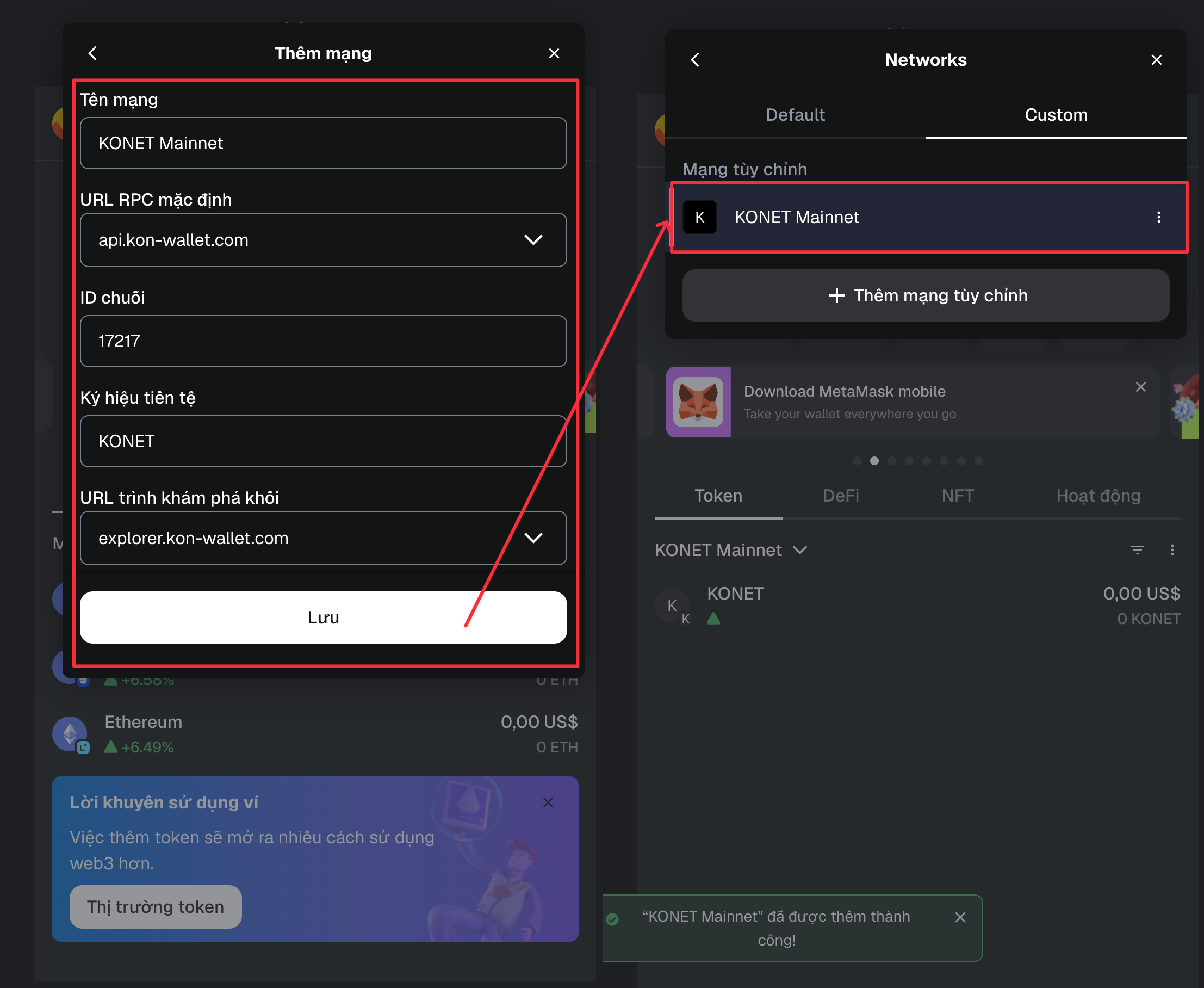
Vui lòng nhập chính xác thông tin mạng cho từng mục bên dưới, không có lỗi chính tả hoặc khoảng trắng thừa.

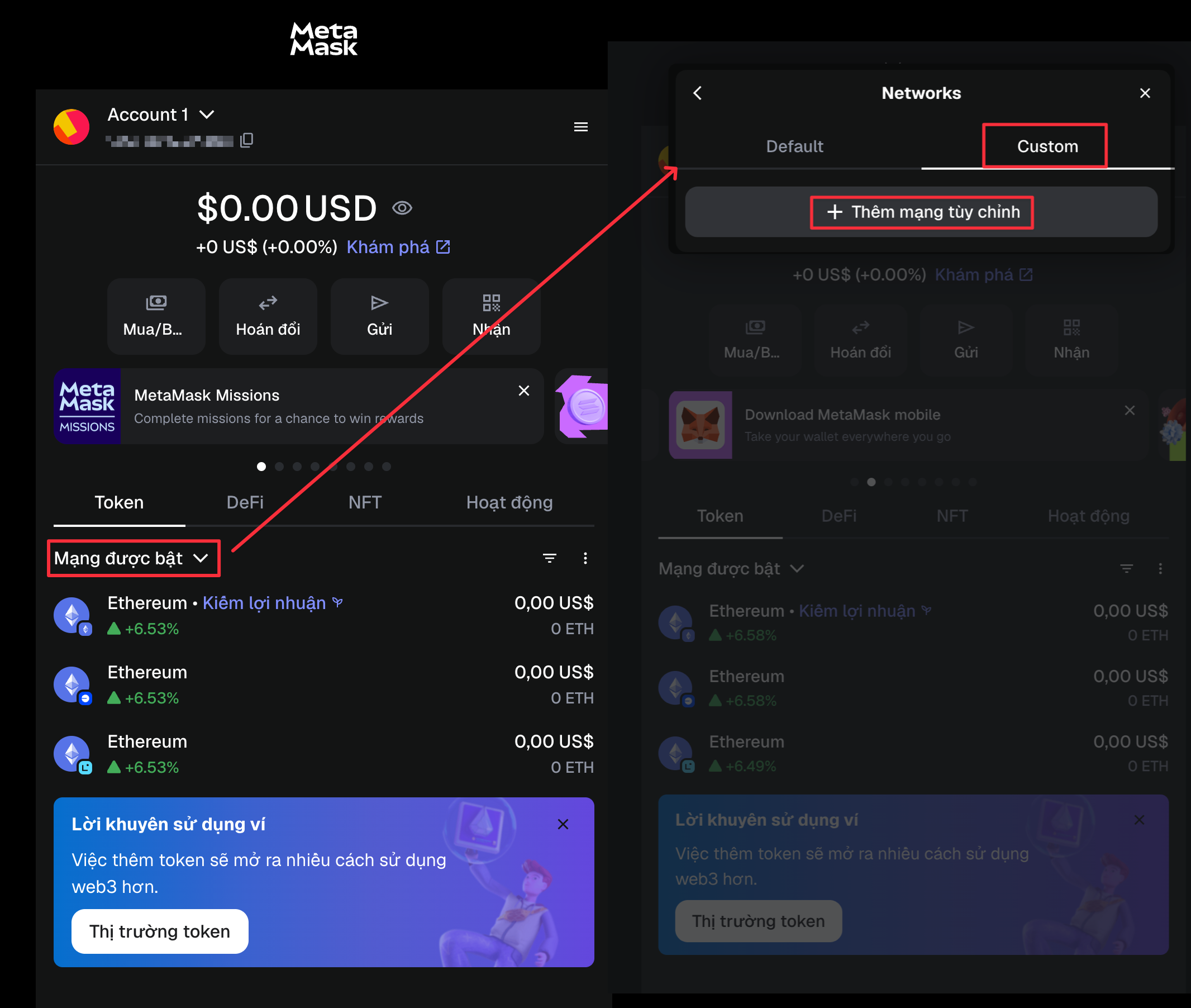
<figure><img src="/files/GzgqpjxJftCUGdxh1Xvl" alt=""><figcaption></figcaption></figure>

Vui lòng xem hình ảnh và nhấp theo thứ tự. Đây là cách thêm Mainnet.

### Nhập thủ công để thêm KONET Mainnet tùy chỉnh.

<figure><img src="/files/vEmzxduiXJQvExWnd7VC" alt=""><figcaption></figcaption></figure>

1. **Tên mạng (Network Name)**

**KONET Mainnet**

2. URL RPC chính (New RPC URL)

**<https://api.kon-wallet.com>**

2. Chain ID

**17217**

2. **Ký hiệu tiền tệ (Currency Symbol)**

**KONET**

2. URL trình khám phá khối (Block Explorer URL)

**<https://explorer.kon-wallet.com>**

<table><thead><tr><th width="223">Loại</th><th width="298">giá trị nhập</th><th>bắt buộc và tùy chọn</th><th data-hidden valign="bottom"></th></tr></thead><tbody><tr><td><strong>Tên mạng (Network Name)</strong></td><td>KONET Mainnet</td><td>Bắt buộc</td><td valign="bottom"></td></tr><tr><td>URL RPC chính (New RPC URL)</td><td>https://api.kon-wallet.com</td><td>Bắt buộc</td><td valign="bottom"></td></tr><tr><td>Chain ID</td><td>17217</td><td>Bắt buộc</td><td valign="bottom"></td></tr><tr><td><strong>Ký hiệu tiền tệ (Currency Symbol)</strong></td><td>KONET</td><td>Tự động điền</td><td valign="bottom"></td></tr><tr><td>URL trình khám phá khối (Block Explorer URL)</td><td>https://explorer.kon-wallet.com</td><td>Tùy chọn</td><td valign="bottom"></td></tr></tbody></table>

***

## Thêm token tùy chỉnh

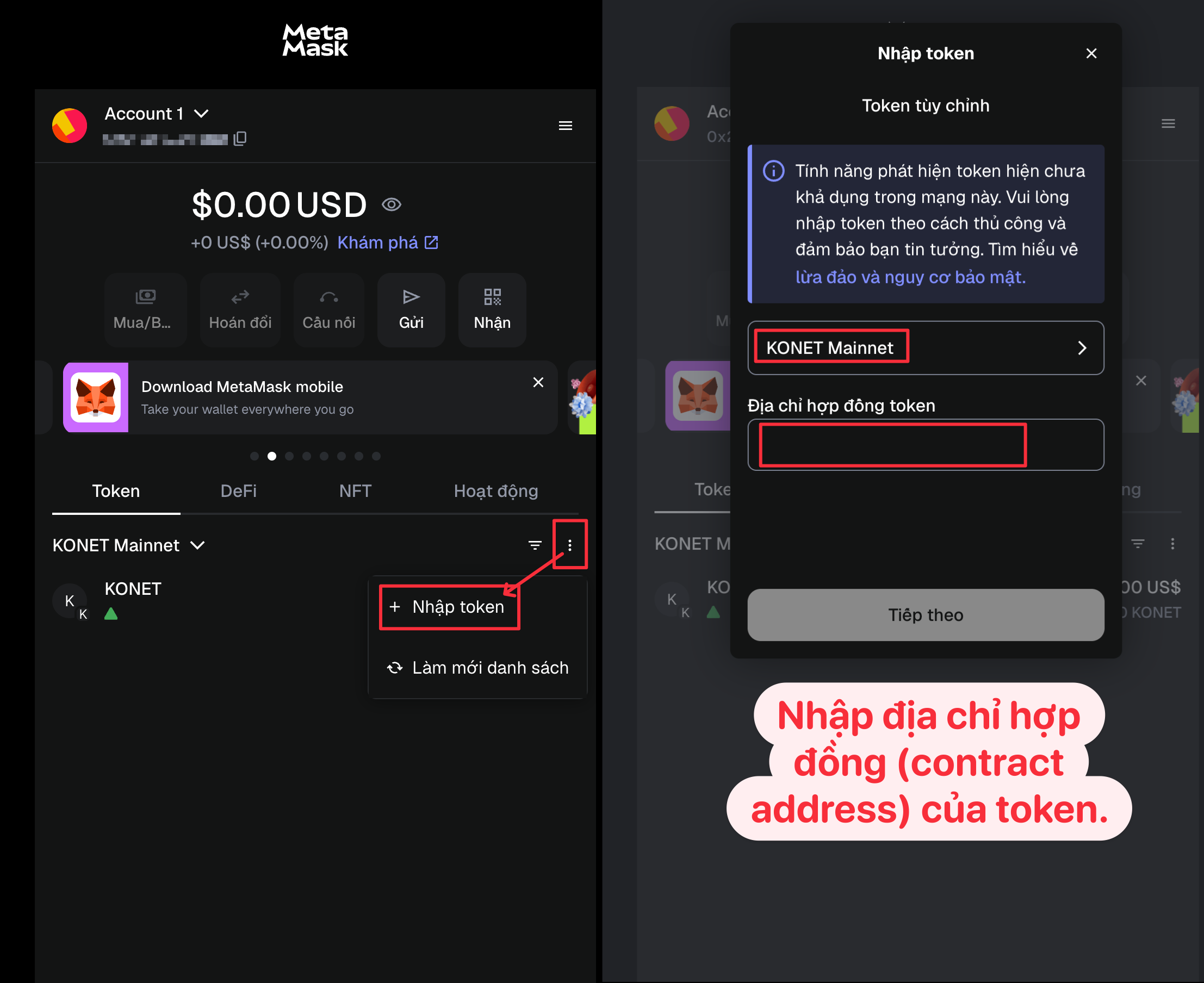
Cách thêm token được phát hành trên **KONET Mainnet**

<figure><img src="/files/s49apQ2pC5MLoFTNkIA9" alt=""><figcaption></figcaption></figure>

Trong MetaMask, hãy chuyển mạng sang **KONET Mainnet**, sau đó nhập thông tin như trong hình minh họa để thêm token.


---

# Agent Instructions
This documentation is published with GitBook. GitBook is the documentation platform designed so that both humans and AI agents can read, navigate, and reason over technical content effectively. Learn more at gitbook.com.

## Querying This Documentation
If you need additional information that is not directly available in this page, you can query the documentation dynamically by asking a question.

Perform an HTTP GET request on the current page URL with the `ask` query parameter:

```
GET https://www.konwallet.info/vn/cai-dat-ung-dung/meta.md?ask=<question>
```

The question should be specific, self-contained, and written in natural language.
The response will contain a direct answer to the question and relevant excerpts and sources from the documentation.

Use this mechanism when the answer is not explicitly present in the current page, you need clarification or additional context, or you want to retrieve related documentation sections.