> For the complete documentation index, see [llms.txt](https://www.konwallet.info/llms.txt). Markdown versions of documentation pages are available by appending `.md` to page URLs; this page is available as [Markdown](https://www.konwallet.info/vn/cai-dat-ung-dung/backupwallet.md).
# Khôi phục ví KONWallet
**Bạn đã từng tạo ví trên KONWallet rồi phải không!?** Chỉ cần có cụm từ sao lưu, bạn có thể khôi phục ví KONWallet bất cứ lúc nào! Hãy cùng tìm hiểu cách khôi phục ví trên KONWallet bằng cụm từ sao lưu nhé. 🎉
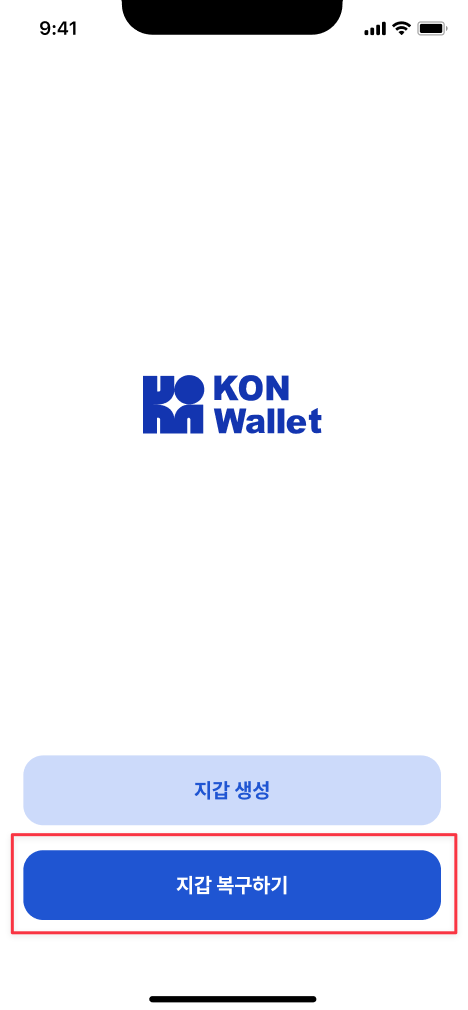
### STEP 1. Khôi phục ví KONWallet
Tại màn hình khởi động của KONWallet, hãy nhấn “Khôi phục ví”.
{% hint style="success" %}
Nếu bạn đã đăng nhập vào KONWallet, hãy chọn \[Menu > Xóa ví] để đăng xuất trước. 👋
{% endhint %}
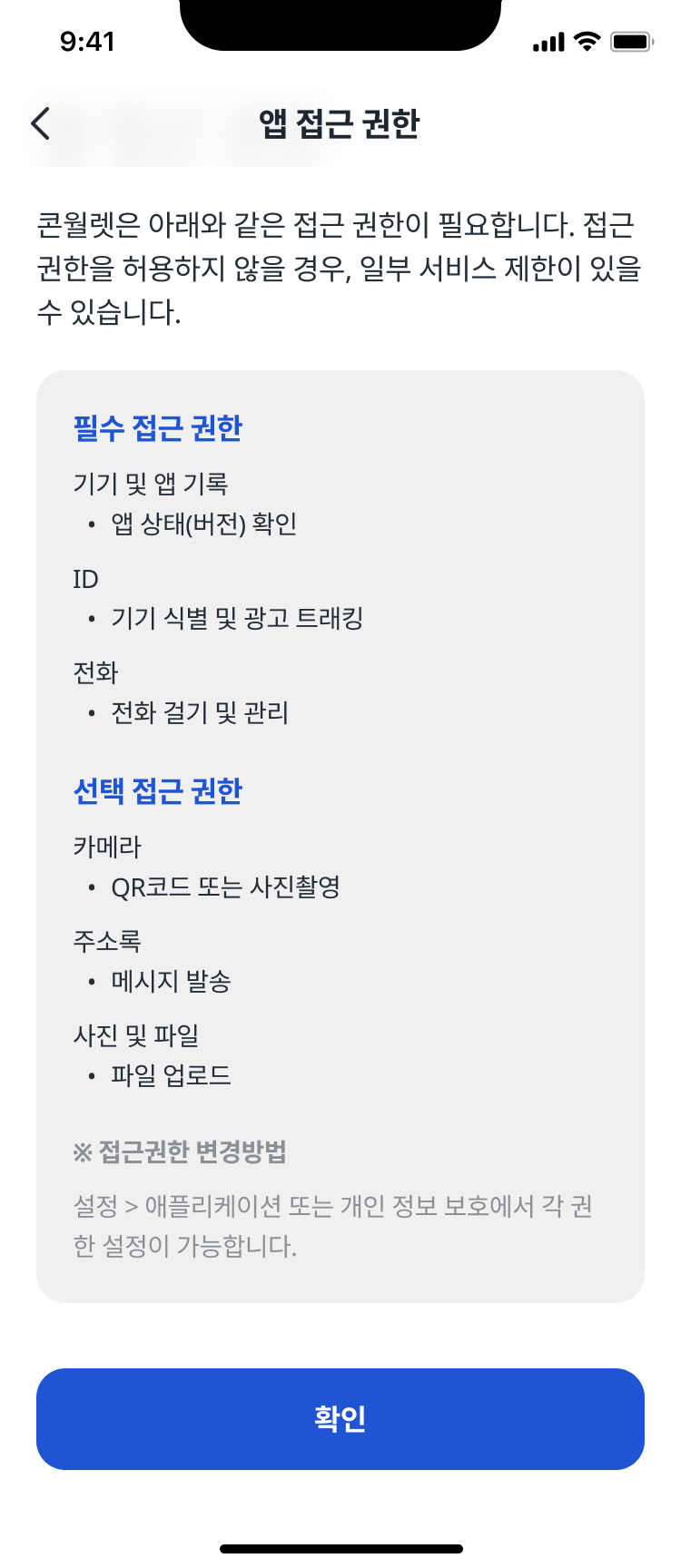
### STEP 2. Kiểm tra quyền truy cập ứng dụng
Đây là màn hình hiển thị các quyền truy cập khi sử dụng KONWallet.\
Vui lòng xem kỹ các quyền bắt buộc và tùy chọn để sử dụng ví một cách thuận tiện.
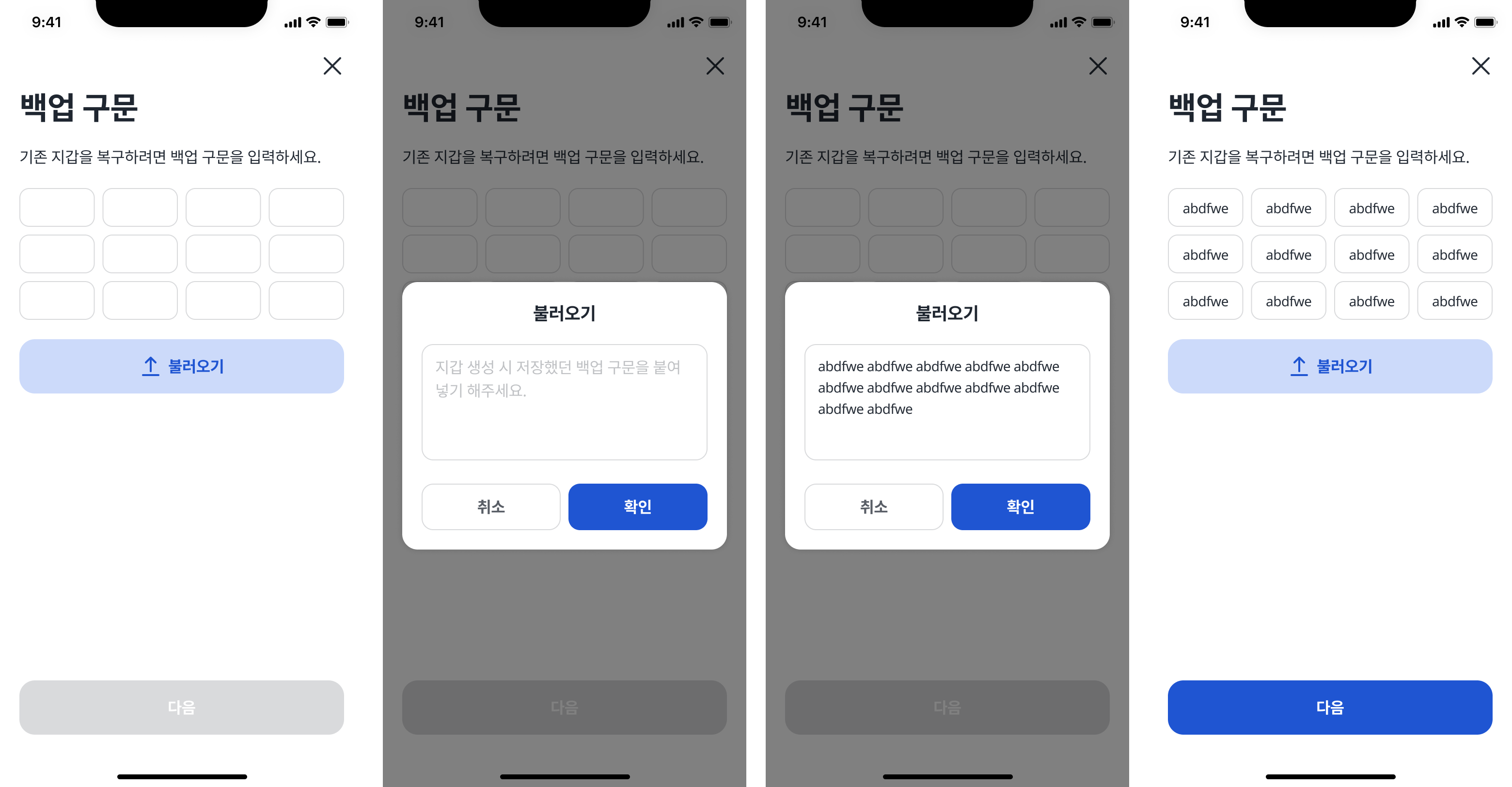
### STEP 3. Nhập cụm từ sao lưu
Tại đây bạn sẽ nhập cụm từ sao lưu đã lưu khi tạo ví KONWallet.\
Bạn có thể nhập từng từ một trong 12 từ, hoặc nhấn nút “Dán” để dán cụm từ sao lưu nhanh chóng.
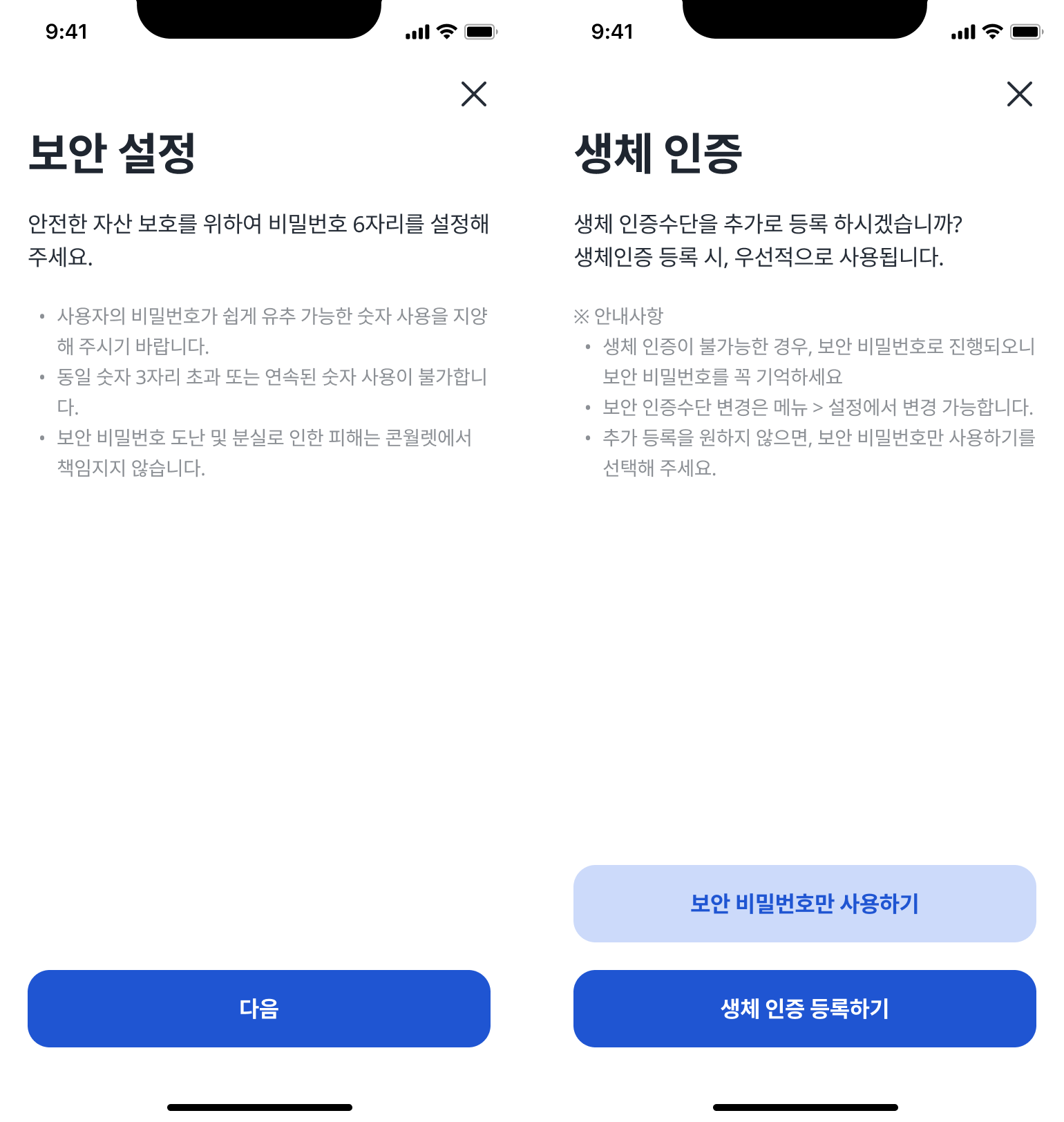
### STEP 4. Thiết lập bảo mật và xác thực sinh trắc học
Sau khi nhập đúng cụm từ sao lưu, hãy thiết lập mật khẩu bảo mật 6 chữ số (nhập 2 lần),\
sau đó hoàn tất xác thực sinh trắc học (vân tay hoặc Face ID) để kết thúc quá trình khôi phục ví.
> **Lưu ý:** Mật khẩu bảo mật sẽ được thiết lập mới mỗi lần khôi phục ví.\
> Đây không phải là mật khẩu cũ bạn đã đặt trước đó. Vui lòng ghi nhớ kỹ để tránh quên.
**Hoàn tất!**\
Bạn đã khôi phục thành công ví KONWallet bằng cụm từ sao lưu.\
Hãy nhấn vào góc trên bên trái để xem thêm các hướng dẫn sử dụng khác nhé! 😃